Differences Between UX and UI Design and How the Two Systems Complement Each Other
I was suddenly called into a meeting by a project manager at an IT company, which wasn’t the usual practice. The meeting started with: “We’re going to develop a mobile app, and we need a UX designer.” Since I had already worked on mobile apps outside the company and knew how the system worked, I didn’t think much of it.
As the meeting went on, the conversation with the IT team—none of whom were designers—took an interesting turn.
“What is UX design? It’s the placement of buttons on the screen. And than what is UI design? That’s how the button looks.”
I was stunned by such an interpretation. It was clear that no one was aware of the problems and tasks that UX and UI designers are meant to solve. I realized from where the problem was coming: a digital product isn’t just about button placement and button appearance—it’s about the entire experience of using that product. An experience that can be pleasant or, conversely, turn into a real maze when you’re searching for the logout button that some mischievous UX designer decided to hide.
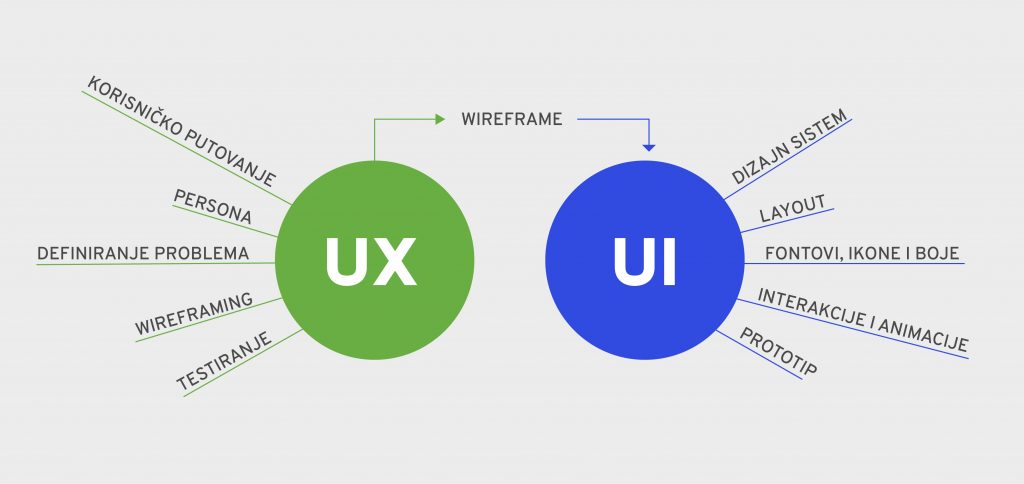
UX (User Experience) deals with solving user experience problems—covering the user’s journey from simple physical objects to complex mobile and desktop applications.
UX must solve real problems, and the solutions must be clear and unambiguous to users. This is not always easy, nor often successfully achieved.
Users are people—with their own thought processes, learned behavior patterns, and often unexpected emotional reactions.
Ideally, or rather successfully, a good user experience is achieved by identifying a problem, proposing a conceptual solution, conducting research with test users, and drawing relevant conclusions from the research results.
A UX solution provides the information architecture and structure that ensures everything works properly, while creating the best possible experience for the user—what we might call the user journey, or even the user adventure.
UI (User Interface), on the other hand, creates the visual components of UX solutions using interactive elements on digital interfaces. Interfaces that are attractive and easy to use enable good interaction between humans and machines.
UI should inform users about the success of their interactions, providing feedback within an appropriate timeframe.
A UI designer creates a clear visual hierarchy of information on each screen, guiding users through what they need to do—from the most important actions to the secondary and tertiary ones.
UI achieves visual hierarchy through color, font size, buttons, icons, images, animations, and the placement and spacing of elements on the screen.
The most important rule of UI design is consistency of style throughout the entire product, achieved by using a design system and style guide.
Now, to return to the beginning:
UX doesn’t just solve the problem of button placement—it encompasses the entire experience a user has with a company, product, or service.
UI isn’t just responsible for how a button looks—it covers the entire visual, auditory, and dynamic interaction with the product, which must be as simple and effective as possible.
These two branches of design, UX and UI, complement each other and cannot be separated in practice.
As Don Norman and Jakob Nielsen, the pioneers of UX design, explained:
“ It’s important to distinguish the total user experience from the user interface (UI), even though the UI is obviously an extremely important part of the design. As an example, consider a website with movie reviews. Even if the UI for finding a film is perfect, the UX will be poor for a user who wants information about a small independent release if the underlying database only contains movies from the major studios. ”




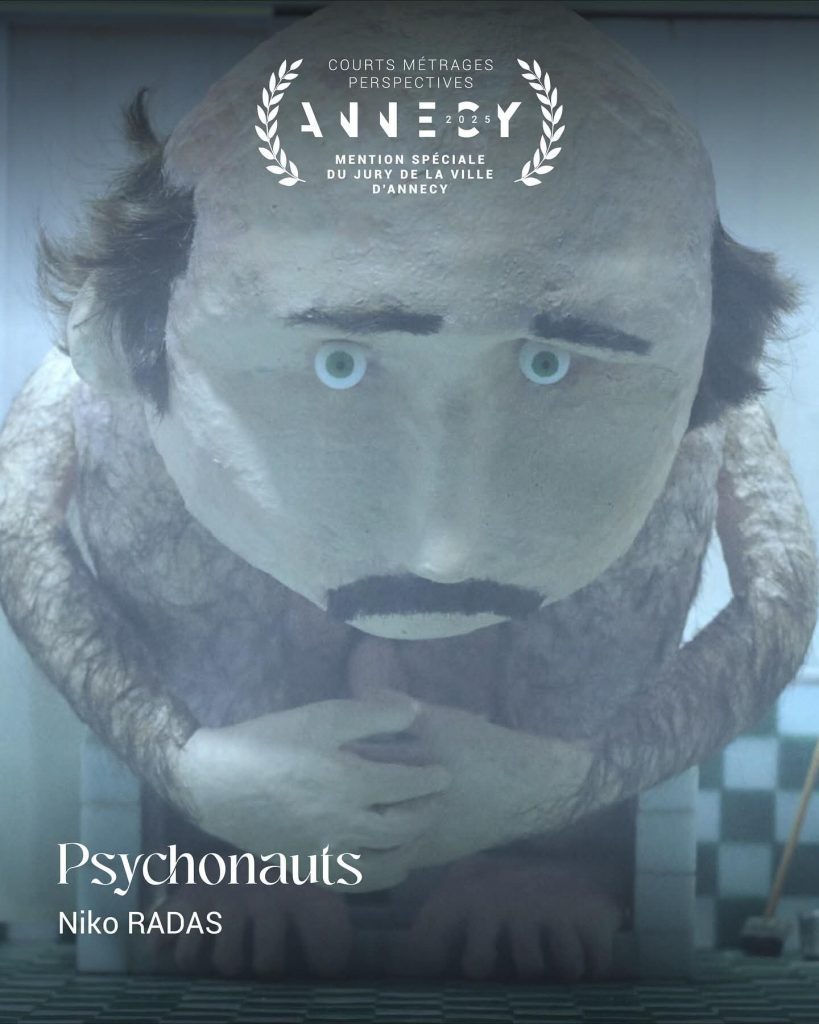



 Završio je još jedan ANIMAFEST, svjetski festival animiranog filma. Uživali smo u projekcijama, upoznali nove prijatelje, razmjenili vizitke. Za one koji ove godine nisu mogli doći, evo mali uvid u propušteno: